FOR GOOGLE OAUTH REVIEW
How Papan uses the Google Calendar API and the Gmail API
Papan is a kanban task and project management app for small teams. Connecting a Google Account is optional and per user: it lets a person see their calendar next to their board, schedule tasks as calendar events, and turn emails into cards. This page documents each requested scope with a screenshot of the exact screen in the live product.
Live app: https://papan.cloud · Privacy Policy · Terms of Service
1. User-initiated consent (Profile → Koneksi Google)
/profile
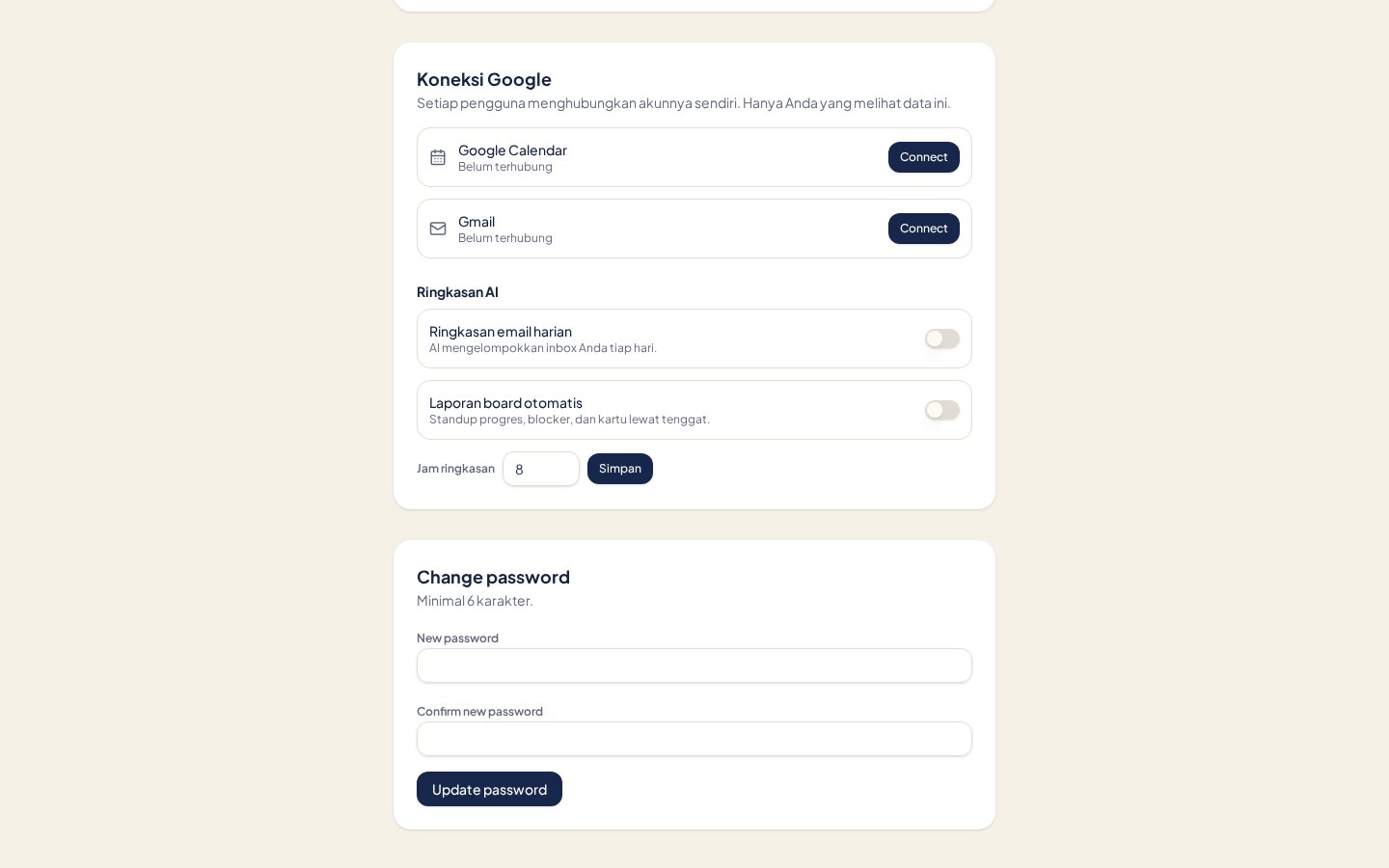
Every user connects their own Google Account. Nothing is requested until the user clicks Connect, and each connection can be revoked from the same screen. No Google data is read for users who never connect.
openidemailprofile
2. Planner — reading and writing calendar events
Board → bottom navigation → Planner
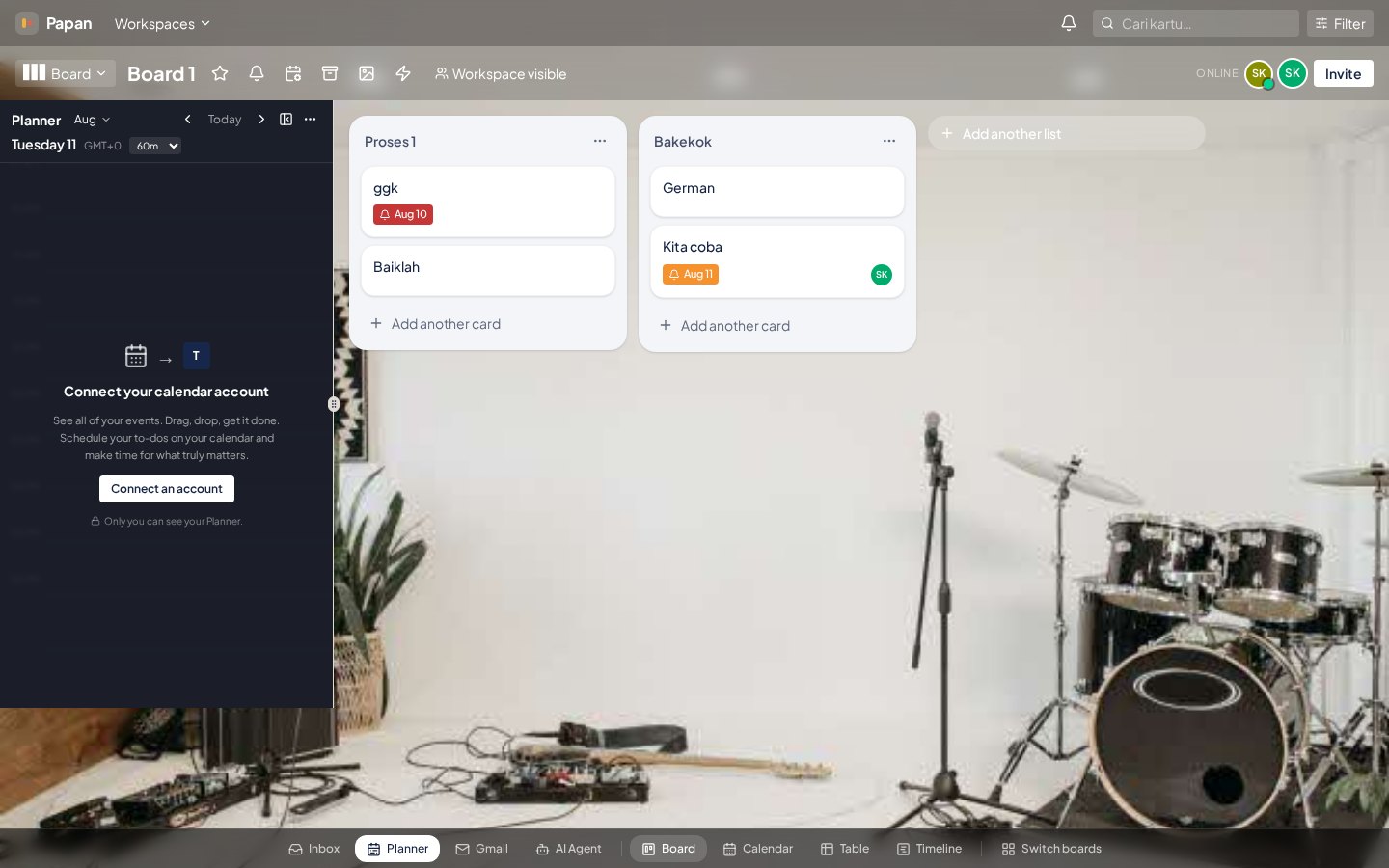
The Planner sidebar shows the signed-in user's own events on an hourly timeline next to their board. Dragging a card onto the timeline creates a calendar event for that task; changing the card's schedule updates that same event. Without the write scope the drag-to-schedule feature cannot exist; without the read scope the timeline is empty and users would double-book themselves.
https://www.googleapis.com/auth/calendar.eventshttps://www.googleapis.com/auth/calendar.readonly
3. Gmail panel — email into tasks, replies from a card
Board → bottom navigation → Gmail
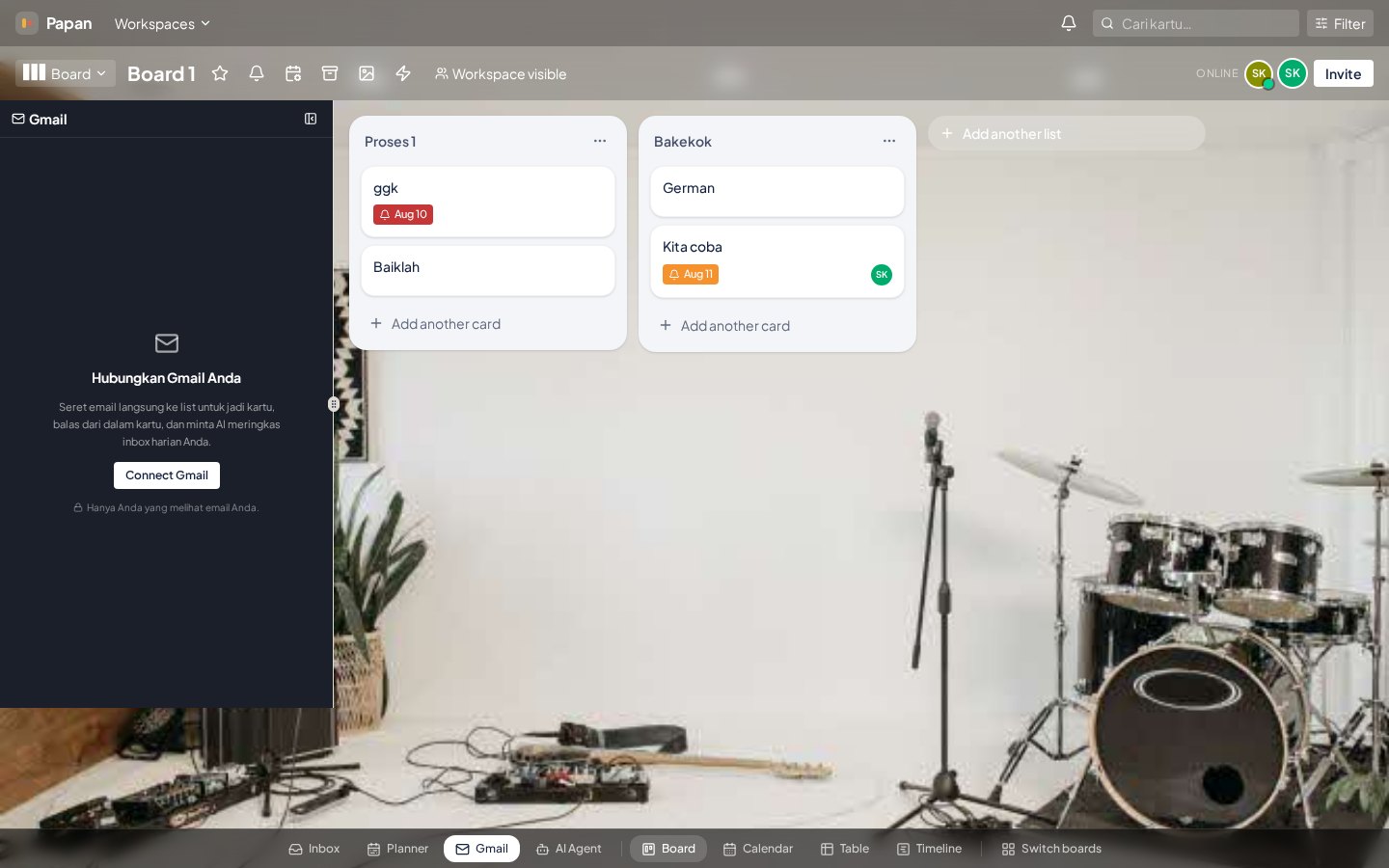
The Gmail sidebar lists the user's recent messages so they can drag an email onto a list and turn it into a card (subject becomes the title, body becomes the description). From that card the user can send a reply to the same thread. Read access is needed to display and copy the message; send access is needed for the in-card reply. Papan never reads mail in the background and never sends without an explicit user action.
https://www.googleapis.com/auth/gmail.readonlyhttps://www.googleapis.com/auth/gmail.send
4. Where the data lands
Board view
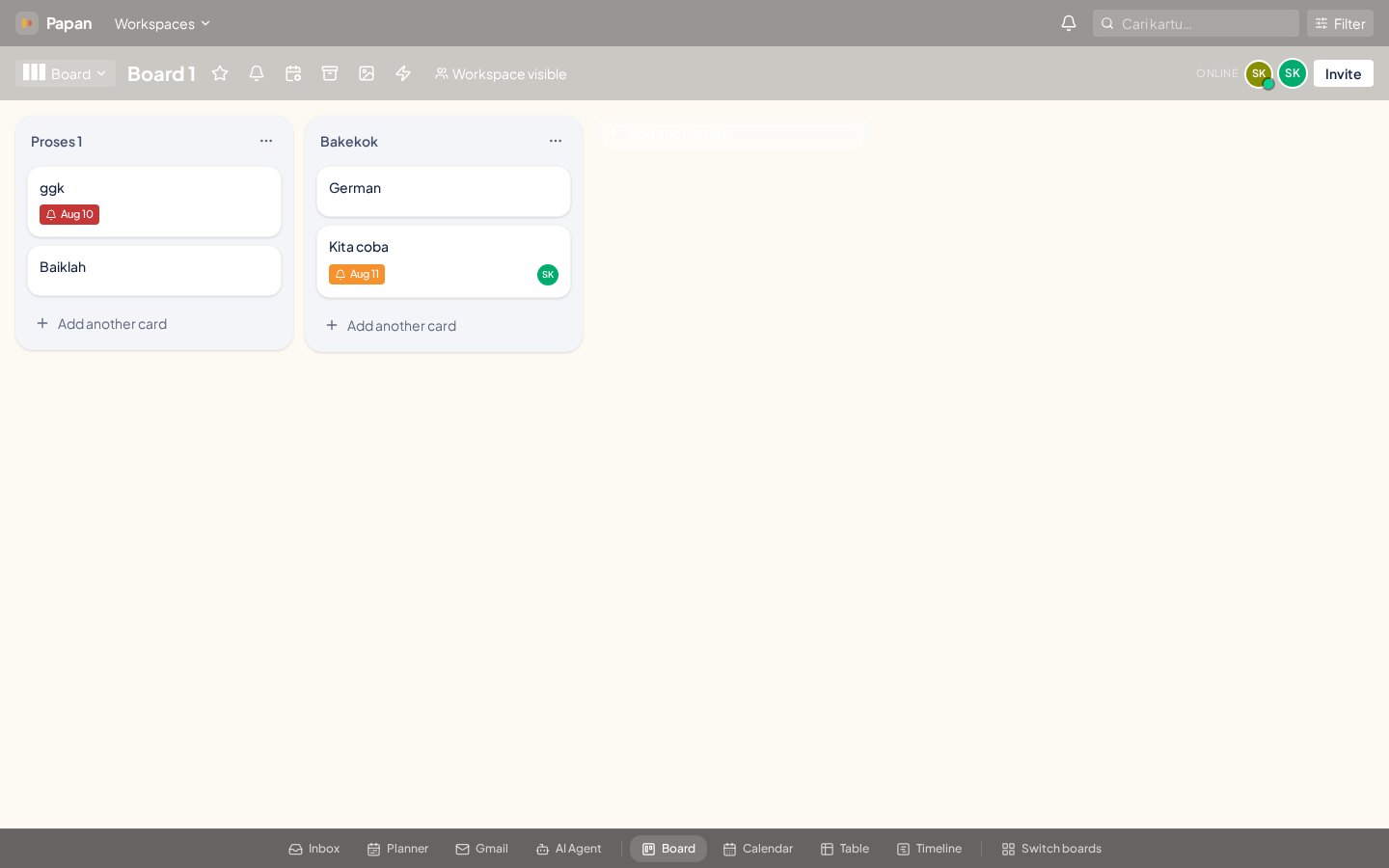
Google data is only used to populate the card the user created and the Planner timeline they are looking at. Message bodies and event details are shown to that user only, are not shared with other board members unless the user puts them into a card, and are never used for advertising, resale, or model training.
Data handling summary
- Access tokens are stored encrypted server-side and are scoped to the single user who granted them.
- Calendar events and email content are fetched on demand for the signed-in user; we keep no separate mirror of a user's mailbox.
- Only content the user deliberately copies into a card is stored, and it inherits that board's access rules.
- Google data is never sold, never used for advertising, and never used to train models.
- Users can disconnect Google Calendar or Gmail at any time from Profile → Koneksi Google; this deletes the stored tokens.
Google, Google Calendar, and Gmail are trademarks of Google LLC. Papan is not a Google product and is not endorsed or sponsored by Google.
Verification checklist for Google OAuth
The "Google belum memverifikasi aplikasi ini" screen appears because Papan requests sensitive scopes (Gmail + Calendar). It disappears after Google approves the OAuth consent screen. Complete every item below and submit from the Google Cloud Console.
- App name is exactly Papan and not a brand name from any other project.
- User support email is active and monitored (e.g. inovasikaryan@gmail.com).
- Authorized domain and links point to papan.cloud / www.papan.cloud.
- Privacy Policy at /privacy clearly covers Google data use and deletion.
- Terms of Service at /terms is published and reachable.
- Homepage at / explains Papan and has a visible Google sign-in button.
- Upload a YouTube screencast showing: connect Google Calendar → schedule a card → connect Gmail → drag an email to a list → reply from the card. Keep it under 3 minutes.
- For each sensitive scope, explain why the app needs it (use the scopes listed above).
How to submit
- Open APIs & Services → OAuth consent screen.
- Click the project that owns your Papan OAuth client.
- Make sure the app is set to Publishing status → In production.
- Click Submit for verification.
- Paste the demo video URL and fill the justification fields with the explanations above.
- Google usually replies within 3–7 business days.
Until Google approves, you and your test users can still use the integrations by clicking "Lanjutan" (Advanced) → "Buka papan.cloud (tidak aman)" on the warning screen, but end users will not trust it. Approval is the only way to remove the warning permanently.